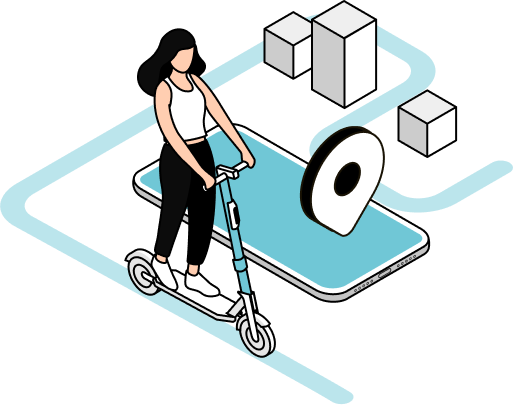
How to Ride?
Getting Started
How OWLO Works
Step 1
Download the App
Step 2
Add Funds
Step 3
Find a Scooter
Step 4
Scan the QR Code
Step 5
Ride Safely
Step 6
Park & Take a Photo
Ride Smart
Safety Guidelines
Wear Protective Gear
Always wear a properly fitted helmet and consider additional protective equipment for added safety.
Follow Traffic Rules
Obey all traffic signs, signals, and local regulations while riding.
Ride in Designated Areas
Use bike lanes and approved riding zones whenever available, and avoid restricted areas.
Stay Alert
Keep your attention on the road, watch for pedestrians, vehicles, and potential hazards.
One Rider Per Scooter
OWLO scooters are designed for a single rider only. Do not carry passengers.
Park Responsibly
Park in designated areas without blocking sidewalks, entrances, ramps, or public pathways.
Avoid Riding Under the Influence
Never operate a scooter while under the influence of alcohol, drugs, or anything that may impair judgment.
Inspect Before You Ride
Check the scooter's brakes, tires, and overall condition before starting your journey.
Need Help?
Frequently Asked Questions
How do I start riding with OWLO?
Download the OWLO app, create an account, add a payment method, locate a nearby scooter, and scan the QR code to unlock it.
Do I need a driver's license to ride?
Requirements may vary by location. Please check local regulations and the OWLO app for eligibility requirements in your area.
How do I pay for my rides?
You can securely add a credit/debit card or other available payment methods through the OWLO app.
Where can I find an OWLO scooter?
Use the map in the OWLO app to locate available scooters near your current location.
What should I do if a scooter is damaged?
Do not ride the scooter. Report the issue through the app so our team can inspect and service it.
Can I ride with a passenger?
No. OWLO scooters are designed for one rider only to ensure safety and compliance with regulations.
Where can I park my scooter?
Park in designated parking areas and ensure the scooter does not block sidewalks, entrances, roads, or accessibility ramps.
Why do I need to take a photo after parking?
The parking photo helps verify that the scooter has been parked correctly and responsibly before ending the ride.
What happens if my phone battery dies during a ride?
Contact OWLO customer support through another device if possible. Your ride information remains linked to your account.
How can I contact OWLO support?
You can reach our support team through the OWLO app or the Contact Us page for assistance with rides, payments, or technical issues.